How to Promote a Local Business on Facebook
 Revive.Social Editorial
 To promote a local business on Facebook, start with one business objective, publish useful local content consistently, and measure actions such as calls, directions, bookings, leads, or sales. Paid distribution can support that plan, but it should not replace it.
This guide turns that idea into a practical system. You will set up the Page information customers need, choose repeatable content formats, test organic and paid options, and review results without treating likes as the final score. 📍
Choose a local objective before posting
A post is easier to plan when it serves a defined outcome. Pick one primary objective for the next month rather than asking every post to create awareness, earn comments, produce leads, and close sales at once.
- Awareness: help nearby people understand what you offer and where you operate.
- Consideration: answer questions, demonstrate the service, or show how a product fits a local need.
- Action: ask for a call, booking, direction request, quote, store visit, or purchase.
- Retention: keep existing customers informed about availability, events, maintenance, or new services.
Then write down the audience, offer, action, and measurement. A useful objective might be: “Generate ten qualified quote requests from homeowners within the service area during the next 30 days.” That is more actionable than “get more engagement.” 🎯
Match the call to action to the buying stage. Someone discovering a bakery may need hours and directions, while a homeowner comparing roofers may need project photos, service boundaries, and a quote form. If the action cannot be completed or measured, fix that path before adding more promotion.
Set up the Facebook Page basics customers need
Your Facebook Page should answer the questions a local customer asks before contacting you: What does the business do? Where does it operate? When is it open? How can someone call, message, book, or buy?
- Use the current business name, category, phone number, website, address or service area, and opening hours.
- Choose a recognizable profile image and a cover image that still makes sense on a small screen.
- Set one useful action button and test it from a phone while logged out of the Page.
- Pin or feature a current orientation post when the available Page tools allow it.
- Review automated replies so they do not promise an unavailable response time.
Give each employee or agency only the Page access needed for the work. Facebook documents Page access and task permissions separately, so ownership and publishing responsibility should be deliberate.[1] Keep recovery details with the business owner, remove former collaborators promptly, and use individual accounts rather than shared passwords. 🔐
Audit the Page as a customer, not only as an administrator. Search for it by business name, open it from a mobile browser, tap the website and phone links, request directions, and send a test message. Check whether holiday hours, service boundaries, pinned information, menus, and appointment destinations agree with the business’s own site. Take a screenshot of any defect and assign an owner before publishing a campaign that may send more people into the broken path.
Use 10 repeatable local content formats
Local content works best when it is useful to a defined community, not when a business adds a city name to generic promotional copy. Official community stories from Meta also illustrate how businesses and local groups can participate in wider community activity without turning every interaction into an advertisement.[2]
- Start-here post: explain who you serve, what you do, and the easiest next step.
- Customer question: answer one recurring concern in plain language.
- Behind the scenes: show a person, process, preparation step, or quality check.
- Completed work: share permissioned before-and-after context without exaggerating the result.
- Customer story: describe the problem and solution only after obtaining permission for the words and images.
- Local guide: explain something genuinely useful about the area, season, or community.
- Event: publish accurate dates, access details, capacity, and a clear registration path.
- Availability update: state current hours, booking windows, stock, or service changes.
- Team introduction: help customers recognize the people they may meet.
- Offer: present one specific action with complete terms, timing, and eligibility.
Rotate these formats instead of inventing a new campaign every week. For more channel-specific planning, use this broader Facebook marketing guide as a companion. 🧭
Build a simple weekly testing matrix
A useful test changes one important variable at a time. Keep the objective and audience stable, then compare a content format, opening line, creative treatment, call to action, or publishing window. If everything changes, you will not know what caused the difference.
| Week | Format | Variable | Primary measure |
|---|---|---|---|
| 1 | Customer question | Baseline post | Qualified messages |
| 2 | Customer question | Video instead of image | Qualified messages |
| 3 | Completed work | Proof-led opening | Quote requests |
| 4 | Local guide | Directions call to action | Direction requests |
Record what ran, the audience, spend if any, and the business result. A small log prevents the team from repeating weak ideas because a post “felt popular.” It also reveals whether the bottleneck sits in the post, offer, landing page, or follow-up process. 🧪
Give the weekly system an operating rhythm. On one day, collect customer questions, local updates, and permissioned visual material. On another, draft and approve the next posts. After publishing, set a response window and route each inquiry to the person who can answer it. At the weekly review, label every test as repeat, revise, stop, or inconclusive. “Inconclusive” is a valid result when reach, tracking, or sample size was too limited to support a decision.
Keep a control version when possible. If a photo post produced three quote requests last week, do not change the offer, audience, image, opening, and landing page simultaneously. Change the element most likely to answer the next question, then document the result. 🧩
Compare organic posts, Stories, Events, and paid campaigns
Organic posts are useful for ongoing proof, service education, updates, and community participation. Stories can support timely reminders and informal progress. Events can organize a real date or activity when the format is available and suitable. None of these surfaces guarantees that every follower will see the content.
Paid campaigns buy distribution to a selected audience. That makes them appropriate when the business has a clear offer, a measurable conversion path, a defined service area, and a budget it can afford to test. Boosting a post without those inputs turns spend into an expensive popularity check. 💰
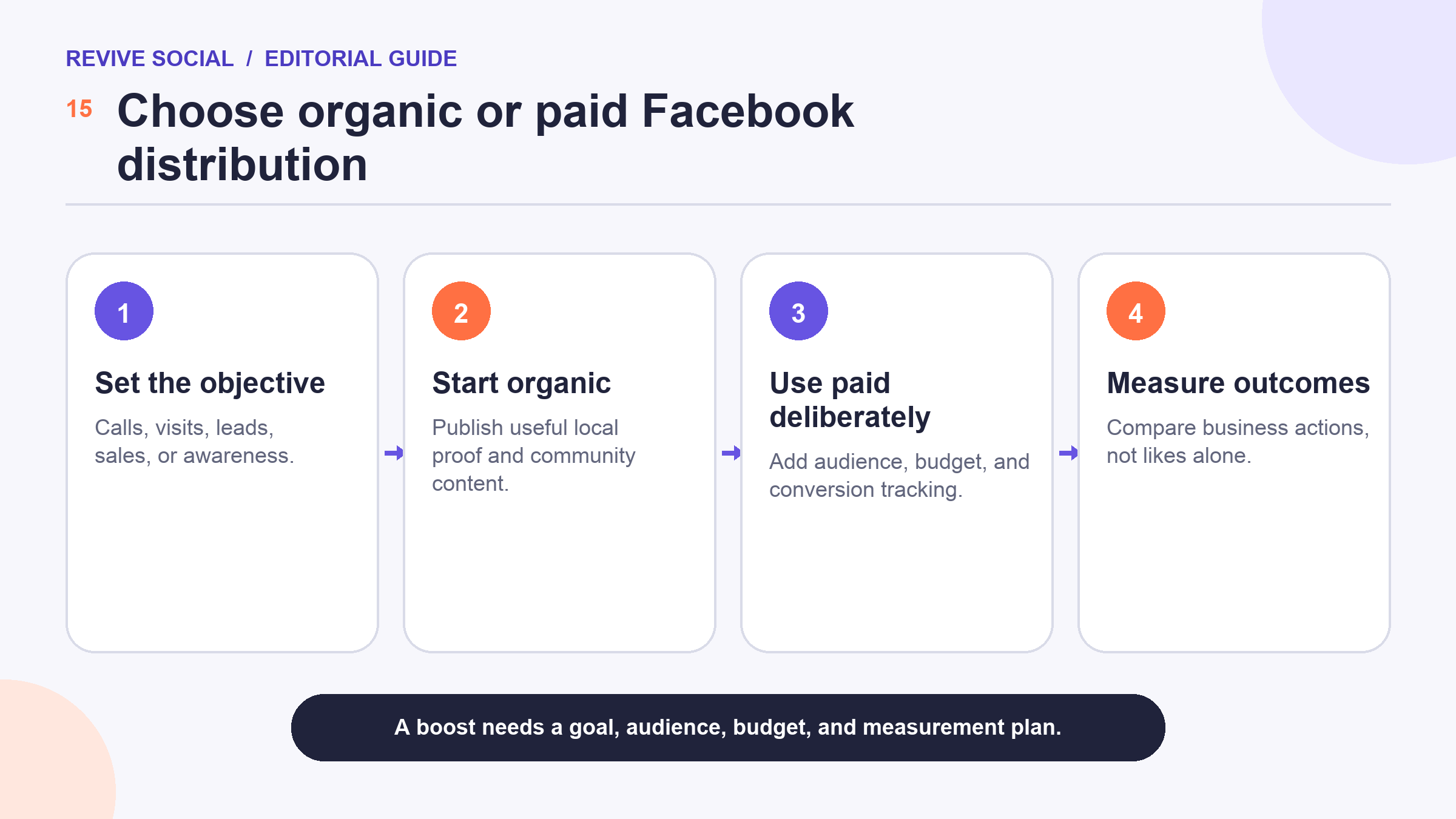
Start with organic content when you are still learning which questions, proof, and offers matter. Consider paid distribution after the customer path works and a result can be counted. If the Page receives inquiries but nobody answers them, spending more will amplify the service problem.
Before a paid test, write a one-page decision note: objective, target area, audience assumption, offer, creative, destination, daily and total budget, conversion event, review point, and stop condition. Decide in advance what would count as evidence to continue. This prevents the team from extending a weak campaign simply because money has already been spent.
Also separate delivery problems from offer problems. If the campaign receives little distribution, review eligibility, audience size, budget, and creative approval. If people click but do not act, inspect the landing page, price, availability, trust signals, and follow-up. If leads arrive but rarely qualify, refine the audience and offer language rather than celebrating the raw lead count. 🧠
Use location and audience controls carefully
Local campaigns need a geographic boundary, but the right boundary depends on the offer. A restaurant may focus on a short travel radius, while a specialist contractor may cover several towns. Meta for Business publishes location-targeting guidance for advertisers, which confirms that geography is a deliberate campaign control rather than an automatic property of a local post.[3]
Use the least complicated audience that can answer the test. Begin with the real service area and a relevant age floor only when it is justified. Avoid layering interests until the audience becomes too narrow to learn from. Platform estimates are planning signals, not promises about who will see or act on an ad. 🗺️
Protect customer privacy, too. Do not expose a home address, sensitive appointment details, health information, or a customer’s identity just to make a local story feel specific. Obtain permission for testimonials and images, and disclose paid partnerships or incentives where required.
Measure actions that matter and review rights
Choose the measure that sits closest to the objective. Awareness can use qualified video views or local profile visits as directional signals. Consideration may use product-page visits, saved posts, or substantive messages. Action should use calls, direction requests, form submissions, bookings, purchases, or another business event.
Likes and comments can help diagnose creative response, but they are not interchangeable with revenue. Compare cost per qualified action for paid work, and track how many inquiries become customers. If tracking is incomplete, label the result as unknown instead of treating correlation as proof. The same measurement discipline applies across channels, although platform metrics differ; this Instagram analytics guide explains the broader idea of matching a metric to a decision. 📊
Before reusing a customer photo, review who owns it, what permission covers, and whether the stated offer remains current. Measurement should never depend on collecting more personal data than the business needs.
Build a simple funnel report that the owner can read without platform jargon: people reached, meaningful visits or conversations, qualified actions, completed sales or bookings, and estimated value. Add costs such as media spend, creative time, discounts, and follow-up. The report does not need to claim perfect attribution. It needs to show what is known, what is estimated, and what decision follows.
Follow a 30-day local Facebook starter plan
- Days 1 to 3: choose one objective, audit the Page, test the action path, and assign access.
- Days 4 to 7: prepare four posts from different repeatable formats and obtain any needed permissions.
- Week 2: publish the baseline content, answer messages, and record business actions.
- Week 3: repeat the strongest format with one controlled change. Run a small paid test only if the offer, audience, budget, and tracking are ready.
- Week 4: compare results, remove stale information, document what to repeat, and choose the next objective.
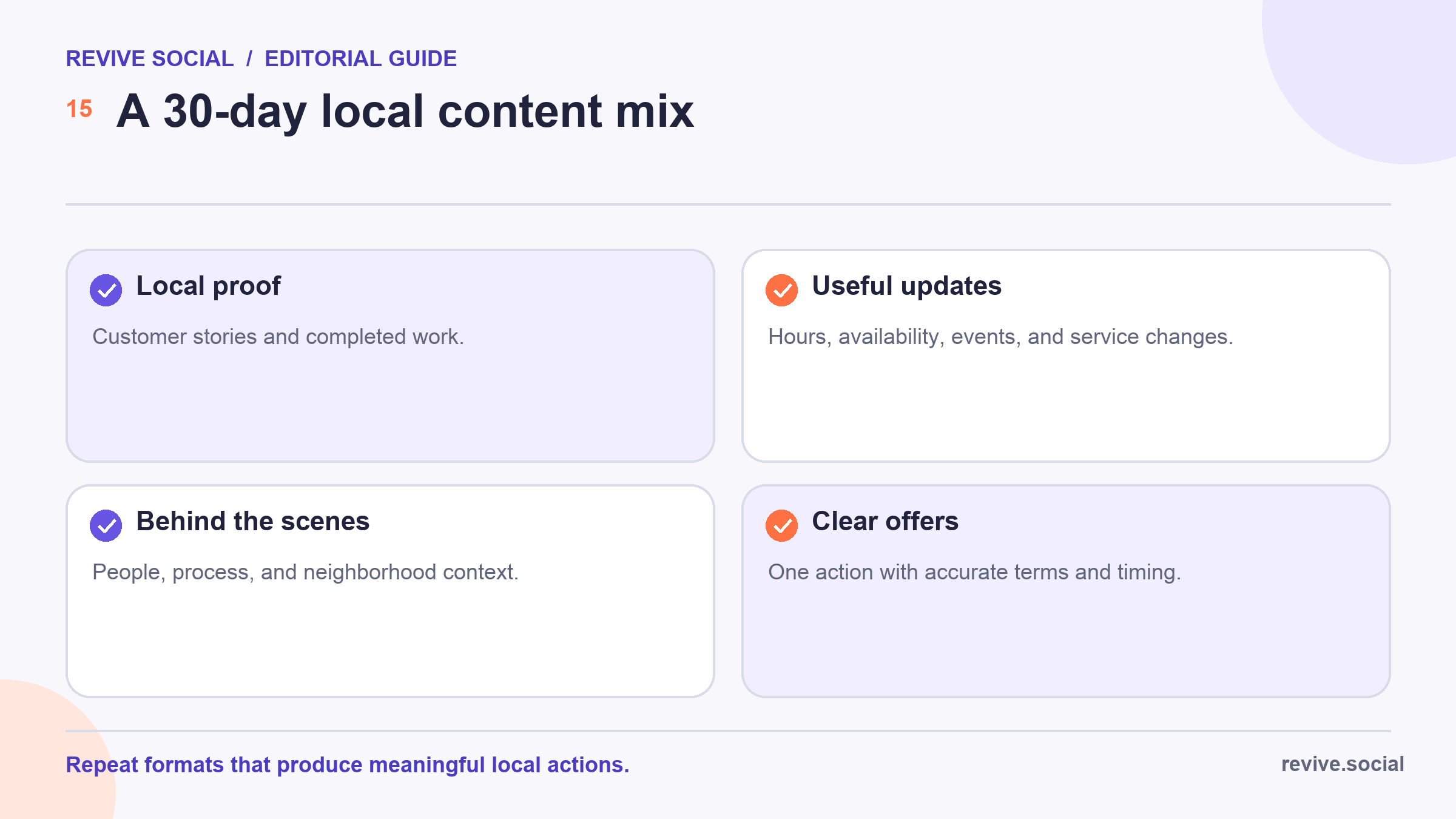
At the end of the month, keep the formats that produced meaningful local actions, improve the weak parts of the customer path, and stop tactics that consumed time or budget without learning. A modest system that the team can maintain is more useful than a burst of posts with no follow-up. ✅
Share the review with the people who answer phones, messages, and in-person questions. They often see quality problems that do not appear in the Page dashboard, such as repeated confusion, requests from outside the service area, or an offer that staff cannot fulfill. Add those observations to the next month’s objective and content plan.
References
- [1] Facebook Help: Page access and permissions
- [2] Meta: Community stories
- [3] Meta for Business: Location targeting guidance

