How to Regram Images Legally and Respectfully
 Revive.Social Editorial
 To understand how to regram images legally and respectfully, start by separating native Instagram sharing from copying and republishing. Use an available native feature for its intended purpose, or obtain written permission that covers the exact reuse you have planned. A public post, screenshot, download, tag, or credit line does not automatically give a brand permission to copy someone else’s work.
Here, “regram” means reposting Instagram content. This guide explains the practical difference between native reposting, Story sharing, and licensed user-generated content (UGC). It also gives you a permission request and rights log that an editor, client, or legal reviewer can inspect.
Important: This article provides general information, not legal advice. Copyright and advertising rules vary by jurisdiction and campaign. Ask qualified counsel to review commercial UGC, paid advertising, disputed ownership, or any use with material risk.
How to regram images legally: choose a native repost, Story share, or licensed UGC
Start by identifying what you actually want to do. “Repost” can describe several different actions with different controls and rights implications:
- Native repost: Instagram redistributes eligible public content through a built-in repost function and keeps platform attribution to the original poster.
- Story share: you use an available Instagram control to share eligible content into a Story, subject to the creator’s settings and the platform’s current options.
- Licensed UGC: you obtain permission to download, copy, edit, publish, advertise, or reuse the work within a defined scope.
- Off-platform reuse: you want the asset on a website, email, printed material, marketplace, or another social network. This normally needs a separate rights analysis and permission.
Meta‘s native repost announcement describes reposting for public Instagram posts and Reels with credit to the original poster.[1] That feature is useful because the platform preserves context and attribution, but it is not a blanket license for downloading the file, editing it, using it in an ad, or publishing it elsewhere.
If the native option is unavailable, do not treat a screenshot or third-party downloader as the equivalent. Ask the creator for permission that matches the intended use.
No reply means no new permission. Do not interpret a viewed message, a like, a follow, a past collaboration, or silence as consent. Choose a different asset, create original material, license stock from a reviewed source, or redesign the post so it does not depend on the unapproved work.
Understand the copyright baseline
The person who posts an image may own the copyright, may have licensed it, or may have no right to grant your requested use. Ownership cannot be established from an Instagram username alone. Meta’s Community Guidelines tell users to share only photos and videos they have taken or have the right to share.[2]
Meta’s copyright guidance also warns that crediting the owner, adding a disclaimer, not making money, finding the work online, or modifying it does not by itself avoid infringement.[3] These are exactly the assumptions a rights-first workflow should remove.
- A public URL is not proof that the work is free to copy.
- A tag is not a license unless the creator agreed to terms that say so and those terms apply.
- A screenshot creates another copy of the work.
- Cropping, adding a logo, or changing colors does not automatically create authorization.
- A creator’s approval may not clear music, artwork, trademarks, people, or locations shown in the content.
Some uses may be allowed under a legal exception, platform agreement, or existing license, but those questions depend on facts and jurisdiction. Do not turn a general exception into a standard brand workflow without legal review.
Check the chain of authority before accepting an approval. A person shown in a photo may not be the photographer. A social manager may not be authorized to license a client’s content. An agency may control campaign files but not the underlying music, artwork, talent release, or stock license. Ask the person granting permission to confirm that they own or control the rights needed for the requested use, and keep that statement with the record.
Ask for permission and keep a rights record
A useful permission request identifies the asset and the intended use. “Can we share this?” is too vague for a commercial campaign. Send a request that the creator can answer clearly:
Hello [name]. We would like to use your [post/Reel/photo] at [URL] on [channels] for [purpose] from [start] through [end]. We plan to [describe edits] and [include/not include] it in paid promotion. Credit would appear as [format]. Do you own or control the rights needed to approve this use, and do you grant permission on those terms?
Do not pressure the creator or imply that a tag is compensation. If payment, a product, a discount, or another benefit is involved, document that arrangement and review any disclosure obligations.
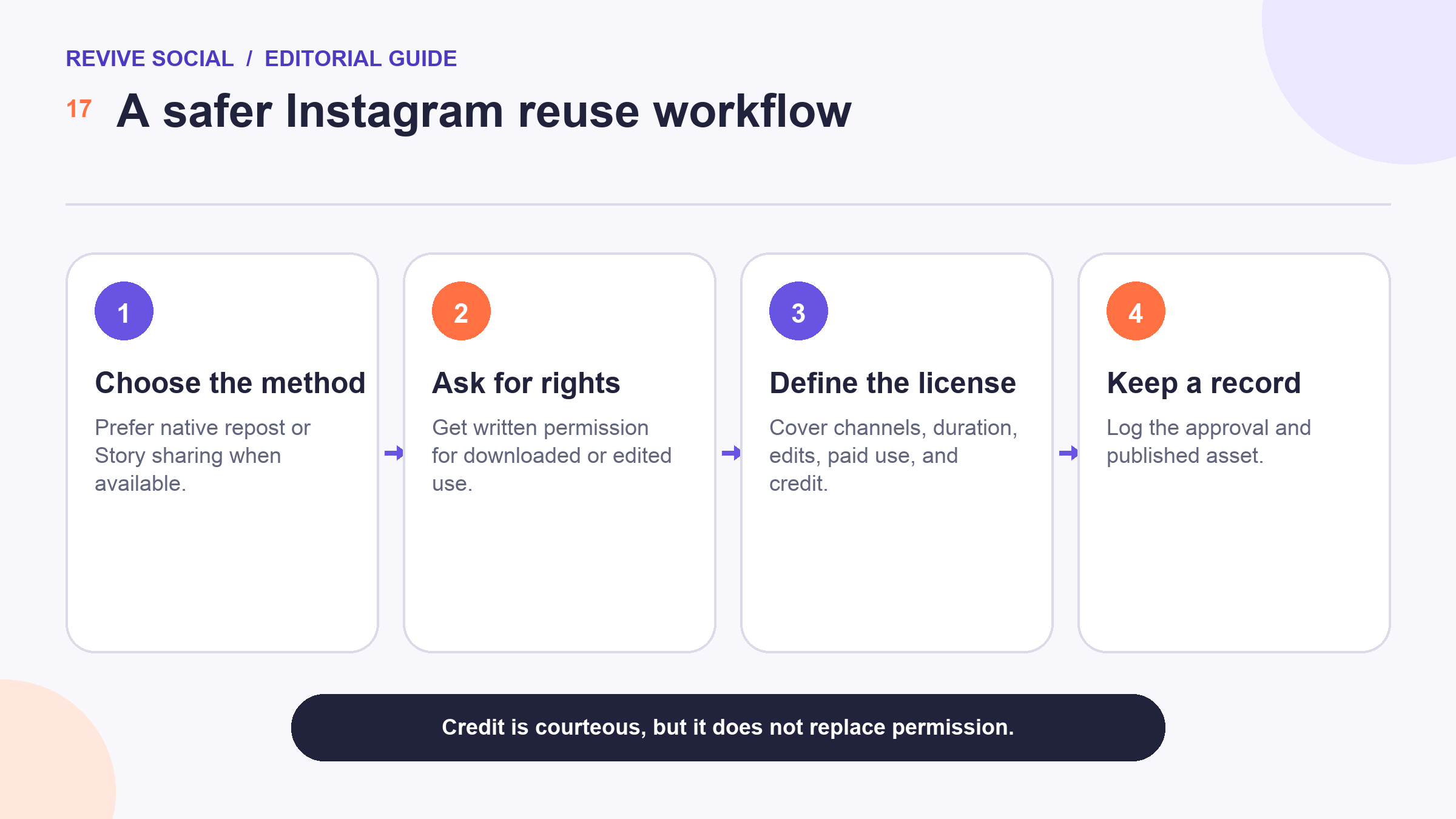
Create a rights log before publishing. Record the asset URL or file hash, creator and rights-holder contact, request date, approval text, agreed channels, duration, edits, paid-use status, credit format, compensation, revocation terms, published URLs, and the person who approved the use internally.
If a business runs a recurring UGC campaign, publish clear participation terms before collecting content. Explain what action submits an entry, what rights are requested, whether payment or a prize is involved, how long the rights last, where the content may appear, and how people can ask questions. Keep the campaign terms, submission evidence, and accepted permission together. A hashtag by itself is not a complete rights process.
Separate consent to participate from consent to unrelated marketing. Do not expand a narrow approval into new products, territories, paid ads, or an indefinite archive without asking again. If the creator is a minor or the content involves a child, health condition, private location, or another sensitive context, stop and obtain specialized review.
Agree on license scope, edits, duration, and paid use
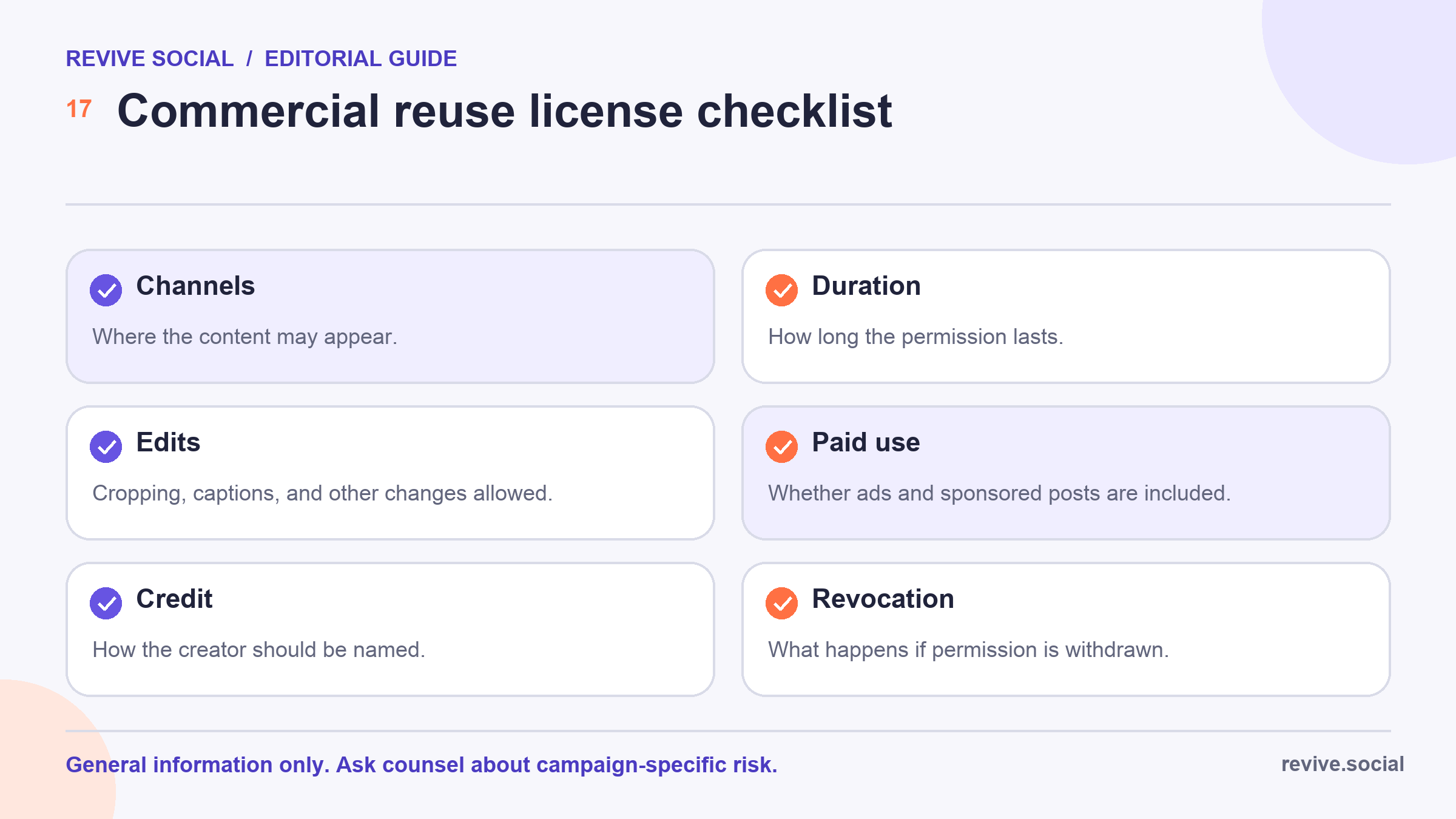
Permission should be specific enough that both sides can understand it later. For a commercial reuse, define at least these fields:
- Asset: the exact post, image, video, caption, or set of files covered.
- Channels: Instagram feed, Stories, website, email, advertising, print, or other named destinations.
- Purpose: organic community sharing, testimonial, product page, campaign, or another stated use.
- Duration and territory: when and where the permission applies.
- Edits: cropping, color changes, text overlays, caption changes, translation, or combining with other work.
- Paid use: whether boosting, paid social ads, whitelisting, or other sponsored distribution is included.
- Credit: the account, name, link, placement, and wording.
- Withdrawal: how the parties handle revocation, takedown, expiry, or a rights dispute.
The creator may not control every right visible in the asset. If a photo includes another person’s recognizable likeness, private property, protected artwork, music, or branded material, ask who cleared those elements. For a campaign, legal review should decide whether additional releases or licenses are needed.
Store the approved source file without replacing it. Make edits on a copy, label the final version, and connect that version to the permission record. This creates a trace from the creator’s asset to the published creative. It also makes it easier to identify whether a later crop, caption, translation, or paid placement exceeded the approved scope.
Credit the creator without treating credit as permission
Credit can be respectful, contractually required, and useful to readers. It should identify the creator in the agreed format and remain visible with the reused content. However, credit answers “who made this?” It does not answer “who authorized this use?”
Keep the permission record even when a native repost displays attribution. If the creator asks for a different credit, compare the request with the agreement and update the post when appropriate. Do not remove a watermark, crop out a signature, or replace the creator’s name with a vague “source: Instagram.”
For related background on ownership and website content, ThemeIsle has a general copyright explainer.[4] It is additional education, not a substitute for advice about your campaign.
When the agreed credit cannot fit the planned format, resolve that conflict before publishing. Do not shrink it into unreadable text or move it to an unrelated page without the creator’s agreement. If a platform automatically displays attribution, confirm whether the contract treats that display as sufficient or also requires a caption mention.
Avoid screenshots, downloads, and repost tools as rights shortcuts
A screenshot or downloader can technically produce a copy, but it does not supply the rights to publish that copy. It can also strip context, attribution, captions, accessibility information, or later corrections from the original post.
A third-party reposting service may automate file handling or attribution. Treat it as a production tool only after security, privacy, platform-policy, and feature review. It cannot verify ownership or grant permission on the creator’s behalf.
- Do not provide account credentials to an unreviewed app.
- Do not download content merely because the native control is missing.
- Do not use a public hashtag as consent unless valid, clear campaign terms establish that consent and counsel approves the process.
- Do not remove the original context to make a testimonial appear stronger.
Use current native repost controls within their limits
When Instagram shows a native repost or Story-sharing control for eligible content, use the control as designed and review the final preview before sharing. Availability can depend on the content type, account, creator settings, region, and platform rollout. Exact labels may change.
Do not infer additional rights from the control. A native repost can keep the original account attached to the platform-level share, while a separate license may still be needed for edited creative, advertising, a website, an email campaign, or another platform.
If the use is only community conversation, the native route may be the least invasive option. If the asset becomes campaign creative, pause and move through the written-permission and license checklist.
Handle takedowns, disputes, and escalation carefully
If a creator or rights holder challenges the use, stop scheduled distribution, preserve the content and permission records, and send the issue to the responsible editor or legal contact. Do not argue in public, delete evidence, or assume that a previous direct message resolves every question.
- Identify every place the asset appears, including ads, scheduled posts, and partner channels.
- Pause or remove the use when appropriate while the claim is reviewed.
- Preserve the original asset, messages, license terms, edits, and publication record.
- Confirm the identity and claim of the person contacting you without demanding unnecessary personal information.
- Escalate disputed ownership, formal notices, campaign losses, or repeated claims to qualified counsel.
- Record the outcome and update the team’s rights workflow.
The practical rule is simple: use native sharing for the narrow action it provides, and obtain clear written rights for copying, editing, commercial use, or off-platform publication. Credit the creator, keep the evidence, and seek legal review when the stakes are significant.
Before publication, ask a reviewer who was not part of the negotiation to match the final asset and placement against the rights log. A fresh check can catch a changed crop, channel, date, credit, or paid-use setting.
References
- [1] Meta: Instagram native repost announcement
- [2] Instagram Community Guidelines
- [3] Meta Help Center: Copyright guidance
- [4] ThemeIsle: Copyright and website content explainer

