How to Use Geotags on Social Media Without Overpromising Reach
 Revive.Social Editorial
 Geotags on social media can add a named place, venue, city, or region to a post. That context can help a local customer understand where an event or business operates, but it does not promise additional distribution or engagement.
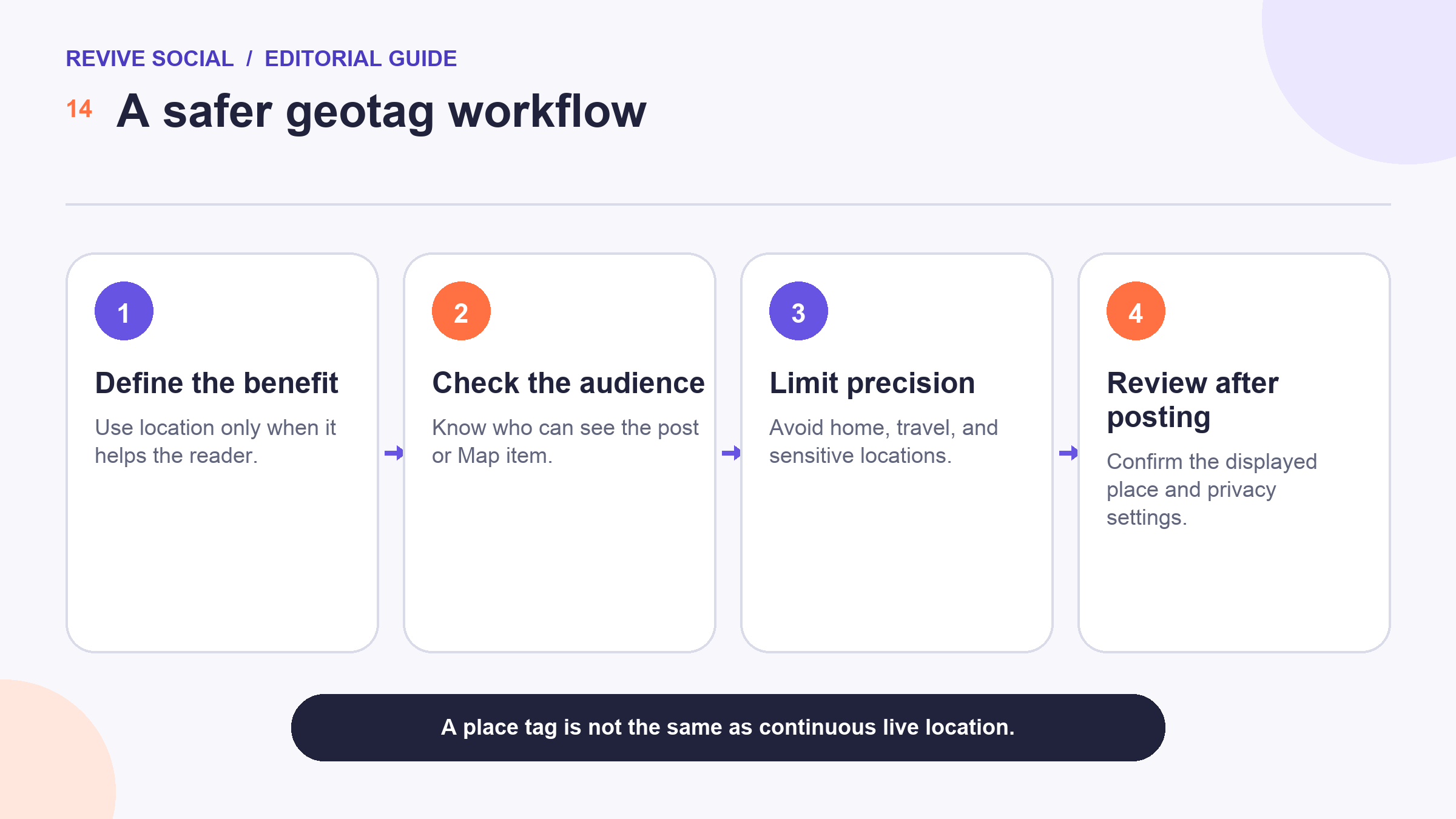
A post location tag is also different from continuous or precise location sharing. Before adding any place, choose the least precise location that serves the reader’s need, review the audience, and consider whether posting now could expose someone’s movements or a sensitive address.
This guide explains the main location surfaces, safer platform-specific principles, and a small test plan for local content. It provides general privacy and safety information, not legal advice or a security guarantee.
Geotags, place tags, and live location are different
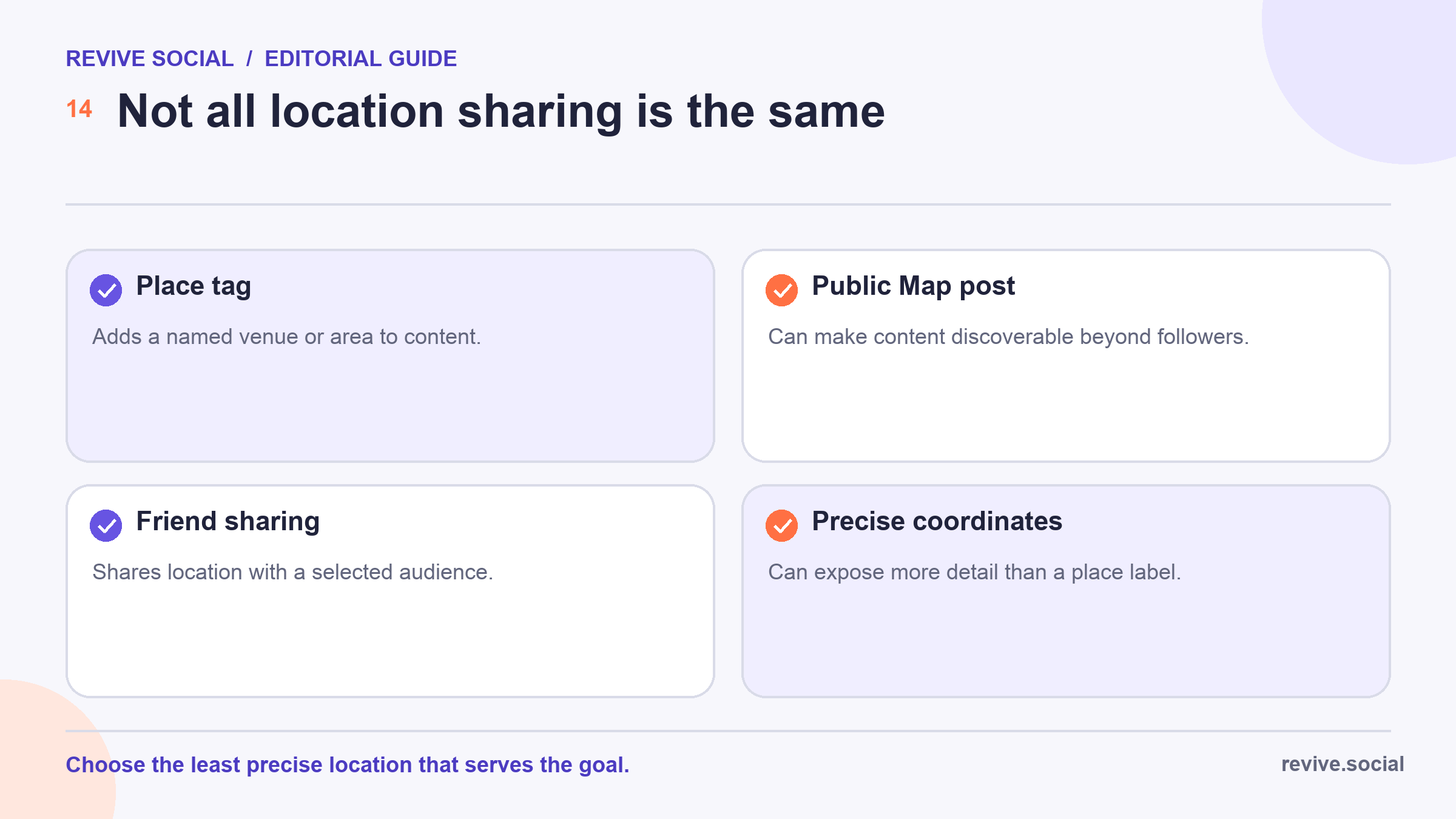
People often use “geotag” for several separate features. A place tag usually attaches a named location to one piece of content. A public-map submission can make content visible in a map experience. Friend location sharing can reveal where an account is over time, and precise coordinates can expose more detail than a venue label.
| Location surface | What it communicates | Main decision |
|---|---|---|
| Place or venue tag | Named context for a post | Is this location useful and safe to publish? |
| Public Map post | Content associated with a public map area | Who beyond followers may see it? |
| Friend location sharing | Location shared with a selected audience | Who has access, and for how long? |
| Precise coordinates | Potentially detailed device or capture location | Can a broader place meet the same goal? |
Check the actual control instead of relying on the feature name. “Map,” “location,” and “place” can mean different things between platforms and regions. Keep a record of which audience and precision setting you selected when location is operationally important.
When location context can help a post
Use a location when it helps someone interpret or act on the content. A public venue, service area, city festival, regional announcement, or store opening can benefit from accurate place context. A generic motivational post usually does not need one. 📍
- Local business: identify the public customer-facing location or service area.
- Event: identify the official venue after organizers have published it.
- Travel recap: add location after leaving when real-time posting adds risk.
- Regional information: use the city or region when a precise venue adds no value.
- Community content: confirm that participants and organizers are comfortable with the location being public.
A location tag can provide context, but it does not promise that a platform will distribute the post to nearby people. Treat any discovery effect as a hypothesis to measure. Avoid words such as “boost” unless you are reporting a well-defined result from your own test.
For a local business, verify that the public address is correct across the website, social profiles, and mapping services. The guide to creating a local business Page covers the broader Page setup around that information.
Facebook and Instagram location options
Facebook provides controls to add or edit a location on supported posts.[1] Work from the current composer available to your profile or Page, search for the public place, confirm that it is the correct destination, and review the post after publishing.
Do not create or select a private residential address merely to make a business appear local. Use a legitimate public business location or an appropriately broad area. If a public place listing is wrong, follow the platform’s correction process rather than compensating with misleading post text.
Instagram has introduced a Map feature in at least some markets, including a documented rollout in India, with location-sharing and location-based content surfaces.[2] That regional announcement is not evidence of global availability. Check the features and audience controls actually present on your account.
Keep ordinary post context separate from any friend or live-location feature. If a Story needs location context, use the broadest useful named place and review the audience. For general Story mechanics, see the guide to using Instagram Stories. 🧭
Snapchat Map and location-sharing controls
Snapchat documents controls for sharing location on Snap Map, including audience choices available in the app.[3] Review who can see the location, whether sharing is active, and whether the account still needs that setting after the immediate use has ended.
Submitting a Snap to the public Snap Map is a different action from sharing location with selected friends. Snapchat maintains separate guidance for public-map submissions.[4] A public submission may be seen beyond the people you normally message, so inspect the content for faces, names, documents, vehicle identifiers, and private addresses before sending it.
Do not use a public Map submission to expose another person’s location, a child’s routine, a private gathering, or a sensitive event. Delay posting travel or event content when real-time disclosure is unnecessary, and ask participants before associating them with a place.
The related Instagram vs. Snapchat comparison can help with broader format planning, but use current official documentation, not an older comparison article, for location and privacy controls.
X post-location settings
X provides Help Center guidance for post-location settings and for removing location information associated with posts.[5] Check the current composer and account settings rather than assuming a location option appears for every device or post type.
If location is available, use a broad named place unless a specific public venue is essential to the message. Review existing location-enabled posts too. Turning off a future setting may not remove location information already attached to older content, so follow the current removal guidance for those posts.
X also maintains a general post-location explanation. It says precise post location can expose latitude and longitude through the API, and removing location from X does not remove copies already obtained by third parties.[6] Platform controls can change, so check the current workflow rather than relying on an old navigation screenshot. 🔄
Privacy and safety checklist
Pause before publishing when a post could reveal a home, workplace entrance, school, child’s routine, medical visit, shelter, private event, or another sensitive location. Consider not only the selected tag, but also what appears in the image, caption, comments, and posting time.
- Use less precision: choose a city or region instead of an exact address when that meets the goal.
- Delay the post: publish after leaving rather than documenting a live movement pattern.
- Check the audience: understand whether the content is public, follower-only, friend-only, or map-visible.
- Ask permission: do not reveal another person’s location without informed agreement.
- Inspect the image: look for street signs, badges, documents, windows, and identifying landmarks.
- Review file metadata: understand whether location metadata remains in an original file before sharing it outside a platform that may strip it.
- Protect minors: avoid details that reveal a child’s school, schedule, home, or regular route.
- Verify business details: publish only an accurate, intentionally public customer address.
For higher-risk situations, follow your organization’s safety policy and obtain advice suited to the people, jurisdiction, and threat model involved. A social-media setting cannot guarantee safety.
Remember that the visible place label is only one source of location information. A photo can reveal a street name, storefront reflection, transit stop, badge, distinctive window view, or event credential. The original file may also contain capture metadata when it is downloaded and shared outside the platform. Review the complete asset and its intended distribution path, not only the geotag field.
Create an escalation rule for social teams. Routine public venues may need a standard check, while homes, schools, shelters, protests, health facilities, travel in progress, or content involving minors should require a designated safety reviewer or no location at all. Keep the rule calm and specific so people can apply it before publication.
Measure local-content tests responsibly
Define the local objective before adding a place. A restaurant might care about reservation clicks, a service business about qualified local inquiries, and an event organizer about visits to the official registration page. Likes alone may not answer any of those questions. 📈
- Choose one safe, accurate location level.
- Define one outcome such as local landing-page visits or qualified inquiries.
- Compare posts with similar topics, formats, timing, and audiences.
- Use consistent links and UTM parameters where appropriate.
- Record reach and interaction only as supporting context.
- Review the outcome after a consistent period and document limitations.
A difference does not prove that the geotag caused the result. Creative quality, distribution, seasonality, paid promotion, audience size, and topic demand can all change at the same time. Repeat a promising test before turning it into a standard practice.
The goal is not maximum precision. It is enough trustworthy location context to help the intended audience, with the smallest reasonable privacy cost. If the tag adds no clear value, leave it out. ✅
Document the chosen location level and reviewer when a campaign is repeatable. Future posts can then follow a known safe baseline instead of reopening the precision decision under deadline pressure.
References
- [1] Facebook Help: Add or edit a location on a post
- [2] Meta: Instagram Map rollout in India
- [3] Snapchat Help: Share location on Snap Map
- [4] Snapchat Help: Submit a Snap to Snap Map
- [5] X Help: Post location settings
- [6] X Help: Post location

