
How to Create a Facebook Poll: Current Options and Alternatives
 Revive.Social Editorial
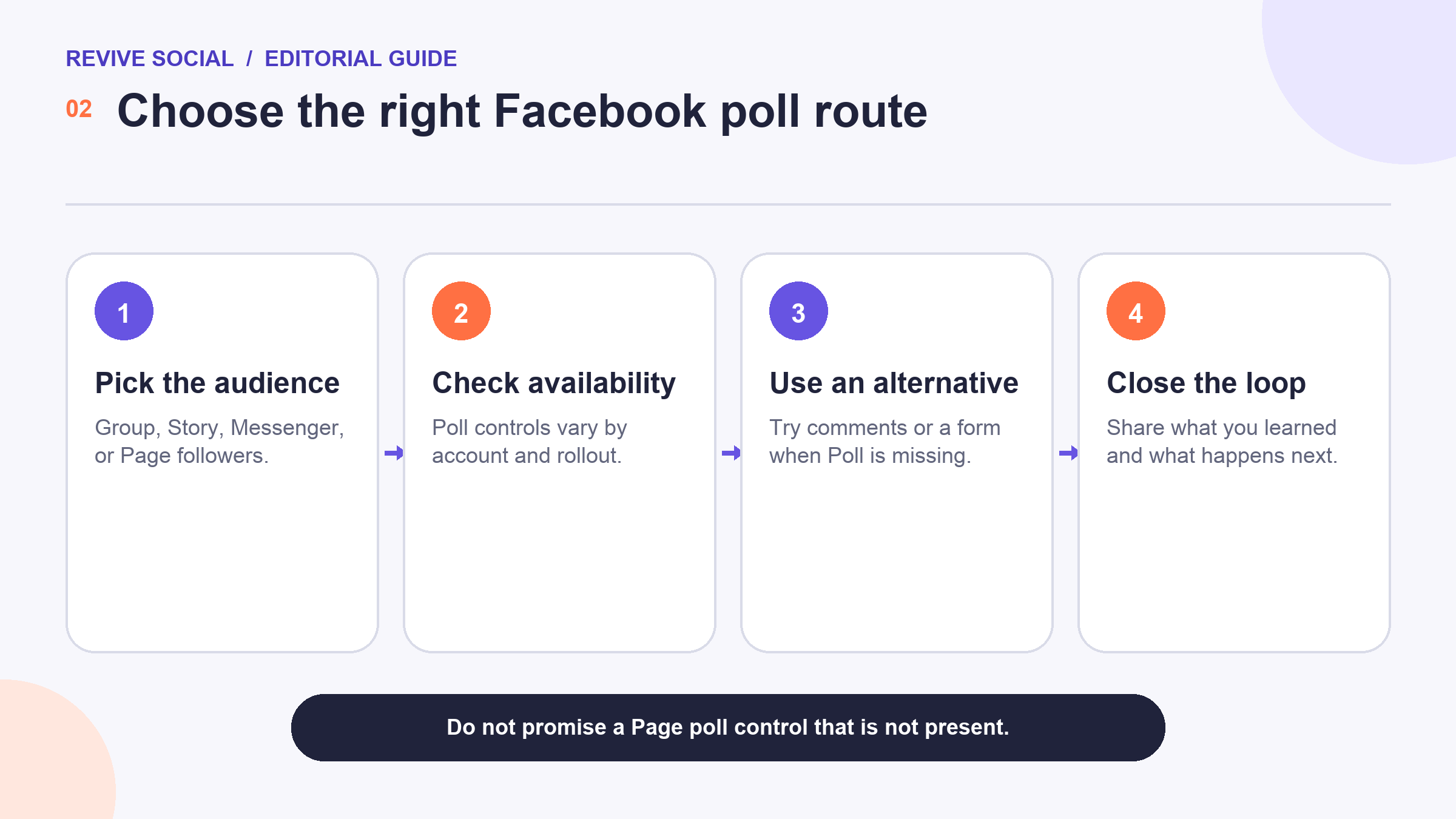
 You can still ask people to vote on Facebook, but there is no reliable, universal Poll button for every Page or feed post. The available route depends on where you post, which account and permissions you have, the device you use, and what Facebook has rolled out to that account.
The practical approach is to check Groups, Stories, or Messenger first, then use comments or an external form when a native poll is missing. This guide shows how to choose the right placement and collect useful responses without promising a feature that may not appear. 🗳️
Quick answer: where Facebook polls may be available
Start with the audience you need to reach, not with an assumed button. A community discussion belongs in a Facebook Group, a quick visual choice may fit a Story, and a small private decision may fit Messenger. A Page audience can still respond through comments or a linked form if no native poll is available.
| Placement | Best use | What to check | Fallback |
|---|---|---|---|
| Group | Community choice or feedback | Posting permission and Poll availability | Numbered comment choices |
| Story | Fast, visual response | Sticker availability, device, and account | Question sticker or reaction prompt |
| Messenger | Private group decision | Chat type and current controls | Reactions or a numbered message |
| Page or feed post | Public audience feedback | Do not assume a Poll control exists | Comments or an external form |
| External form | Longer or structured research | Consent, privacy, and mobile usability | Shorten the question set |
Facebook’s documentation about Page access explains that people with the right permissions can manage Page posts and Stories, but it does not establish a current Page-feed Poll workflow.[1] If an old tutorial sends you to Publishing Tools for a poll, treat that path as obsolete unless the control appears in your current account. 🔎
Choose a native poll when the question is short, the audience already gathers in that placement, and a directional response is enough. Native controls lower friction, but they give you less control over sampling, identity, exports, question logic, and retention.
Choose a form when the decision needs several questions, anonymous responses, eligibility screening, a consent statement, or structured analysis. The form adds a click, so explain why the information matters and show how long it should take. Do not use a form simply to collect email addresses from people who expected a quick vote. 📋
Comments and reactions sit between those options. They are easy to launch and work even when Poll is missing, but responses are public, can be hard to count, and may change after you review them. Choose that route only when those limitations are acceptable.
How to create a poll in a Facebook Group
A Group poll is useful when members already share a topic and the question belongs in that community. You must be able to post, and admins can limit formats or require approval. Read the rules before creating a research or promotional question.
1. Open the Group composer
Use the account and device that will publish the poll. Start a new Group post and inspect the available post types or additional options. If Poll appears, select it. Labels and menu positions can differ between the Facebook app and web interface. 📱
2. Write one clear question
Ask about one decision and make the answer choices distinct. “Which workshop time works for you?” is more useful than “What content do you want?” because people know exactly what their vote will influence. Avoid combining two ideas in one option.
3. Review options and permissions
Check any controls that let members add choices or select more than one answer. Use them only when they support the decision. The number of options and available settings may change, so do not build your process around an old fixed limit. ✅
4. Publish and explain the follow-up
Before posting, say when voting closes and how the result will be used. Afterward, share the decision, acknowledge meaningful caveats, and thank participants. If the poll is informal, describe it that way rather than treating Group members as a representative market sample.
Before the closing time, avoid arguing with voters or revealing a preferred outcome. Clarify ambiguous choices in a comment that everyone can see. If the question itself is flawed, close the poll, explain the problem, and start again rather than interpreting a result that cannot answer the intended decision. 🧠
Document the final question, options, placement, dates, response count, and any eligibility rule. That small record prevents a later report from losing important context, such as a Group restriction or a choice that was added after voting began.
How to use a Story poll when the sticker is available
Create a Story from the profile or Page that should publish it, add the visual background, then open the sticker or interactive-elements tray. Choose Poll if it appears, enter the question and choices, preview the layout, and publish. Keep essential text away from screen edges and interface controls.
Story tools are especially sensitive to account type, app version, device, region, and phased rollout. If the sticker is missing, update the app, confirm that you are using the intended profile or Page, and check another supported device. Do not promise that a reinstall will force access. 🧩
A Story poll is fast but temporary. Save the result you need while it remains available, and avoid collecting sensitive personal information. For product research, ask a low-risk directional question, then invite willing participants to a separate, consent-aware follow-up.
Messenger, comments, and forms as alternatives
In a Messenger group chat, inspect the current conversation controls for a poll option. If it is available, use the same one-question rule and tell participants when the decision closes. If it is not, post numbered choices and ask each person to reply with a number or use a matching reaction.
For a Page audience, a comment poll is often the simplest fallback. Put the choices in the post, ask for one clearly formatted reply, and pin or add a comment that explains the outcome. This is not anonymous, and people may see one another’s responses. 💬
Use an external form when you need multiple questions, conditional logic, controlled access, or an exportable response set. Keep the form short on mobile, explain who collects the data, and request only what is necessary. A public Facebook post should not ask people to disclose health, financial, employment, or other sensitive details.
Results, privacy, permissions, and rollout limits
A Facebook poll is usually a convenience sample: it reflects people who saw the post and chose to respond. It does not automatically represent all customers, followers, or Group members. Use the result to guide a small decision or identify a question that deserves better research.
Record the denominator you actually know. “Forty-two of 68 respondents chose Tuesday” is more informative than “Most customers prefer Tuesday,” because the latter silently expands a self-selected response into a population claim. If you do not know how many eligible people saw the poll, say so.
Watch for response patterns that the poll format creates. Early votes can influence later participants when totals are visible, public identities can discourage candid answers, and a Page’s distribution can favor people who recently interacted. These limits do not make the poll useless, but they narrow what it can support. 📉
For a higher-stakes decision, use the Facebook poll to discover language or candidate options, then validate them through interviews, site behavior, sales data, or a better-designed survey. Keep each method tied to the question it can answer.
- Visibility: Confirm who can see the poll, its voters, and its comments.
- Permission: Make sure the publishing account can post in that placement.
- Purpose: Tell people what the answer will influence.
- Retention: Save only the information you need and follow your privacy commitments.
- Interpretation: Report the response count and avoid claiming scientific certainty.
Availability can change without every Help page changing at the same time. The safest editorial habit is to describe where to look, state the conditions that may differ, and keep a fallback. Facebook’s general Help Center is the appropriate place to recheck surface-specific instructions before publishing.[2] 🔄
How to write a useful poll question and close the loop
A useful question is neutral, specific, and tied to a decision. Replace “How amazing is the new design?” with “Which navigation label is clearer?” Replace overlapping choices such as “weekly” and “often” with choices that cannot mean the same thing.
Add “Other” only when you can review comments or free-text responses responsibly. When every possible answer cannot fit, say that the choices are examples. Avoid forcing a false choice between options that do not cover the respondent’s situation. ✍️
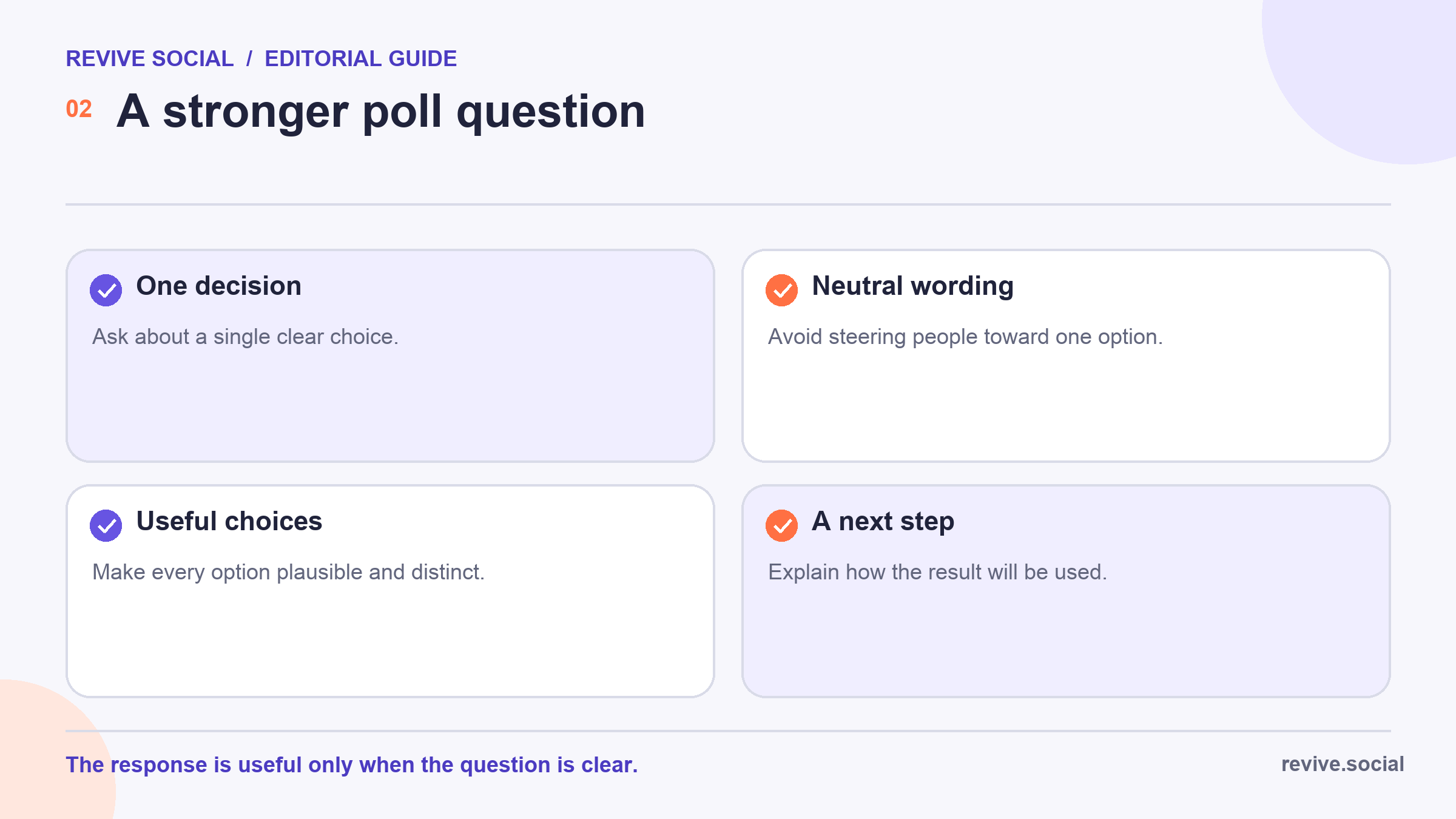
Before you post, write the follow-up sentence you expect to share. If you cannot explain what happens after the vote, the poll may be collecting engagement rather than useful input. The related guide to Instagram questions offers more prompt ideas, but remember that each platform’s controls and audience context differ.
Troubleshoot a missing Poll option
First, verify the placement. A tutorial for a Group does not prove that the same control exists on a Page, Event, Story, or personal feed. Then confirm that you are using the correct profile or Page and that your role permits publishing in that surface.
Next, update the Facebook app or try the current web interface, review Help for your specific surface, and ask a Group admin whether formats are restricted. If the option still does not appear, use comments, reactions, Messenger, or a form rather than repeating obsolete instructions. 🛠️
The dependable workflow is not one magic menu path. It is choosing a suitable audience, checking the controls available today, asking one well-designed question, and reporting what you did with the response.
Save a screenshot of the final question and a brief note about the account, device, placement, and date. This is not evidence that every reader has the same control, but it gives the editor a reproducible record of the route that worked for your poll.
References

