Can You Use Someone Else’s YouTube Video on Your Website? A Rights Checklist
 Revive.Social Editorial
 You may be able to show someone else’s YouTube video on your website with YouTube’s official embed player, but the embed is not blanket copyright permission. The uploader’s rights, third-party music or footage, privacy and publicity interests, your commercial context, platform rules, and local law can all matter.
Important: This article provides general information, not legal advice. Copyright and related rights vary by jurisdiction and facts. Ask a qualified lawyer or the relevant rights holder when the use is important, commercial, disputed, or unclear.
A cautious starting point is to use the official YouTube player, confirm that embedding is enabled, inspect the uploader and apparent license, and request written permission when the rights are uncertain. Do not download and re-upload the file merely because it can be watched publicly.
Short answer: an embed is not blanket permission
Linking sends a visitor to a video on YouTube. Embedding displays YouTube’s hosted player inside your page. Copying downloads or records the file, while re-uploading hosts a new copy on your site or another account. These are technically and legally different actions.
An official embed usually leaves the file and playback controls with YouTube. That distinction can reduce some risks compared with making a copy, but it does not prove that the uploader owned every element or that your use complies with every applicable right.
YouTube’s Terms govern use of the service and its provided functionality.[1] They are not a personalized copyright opinion, a license from every rights holder, or a ruling on how a court would treat a specific embed.
What YouTube’s official embed generally does
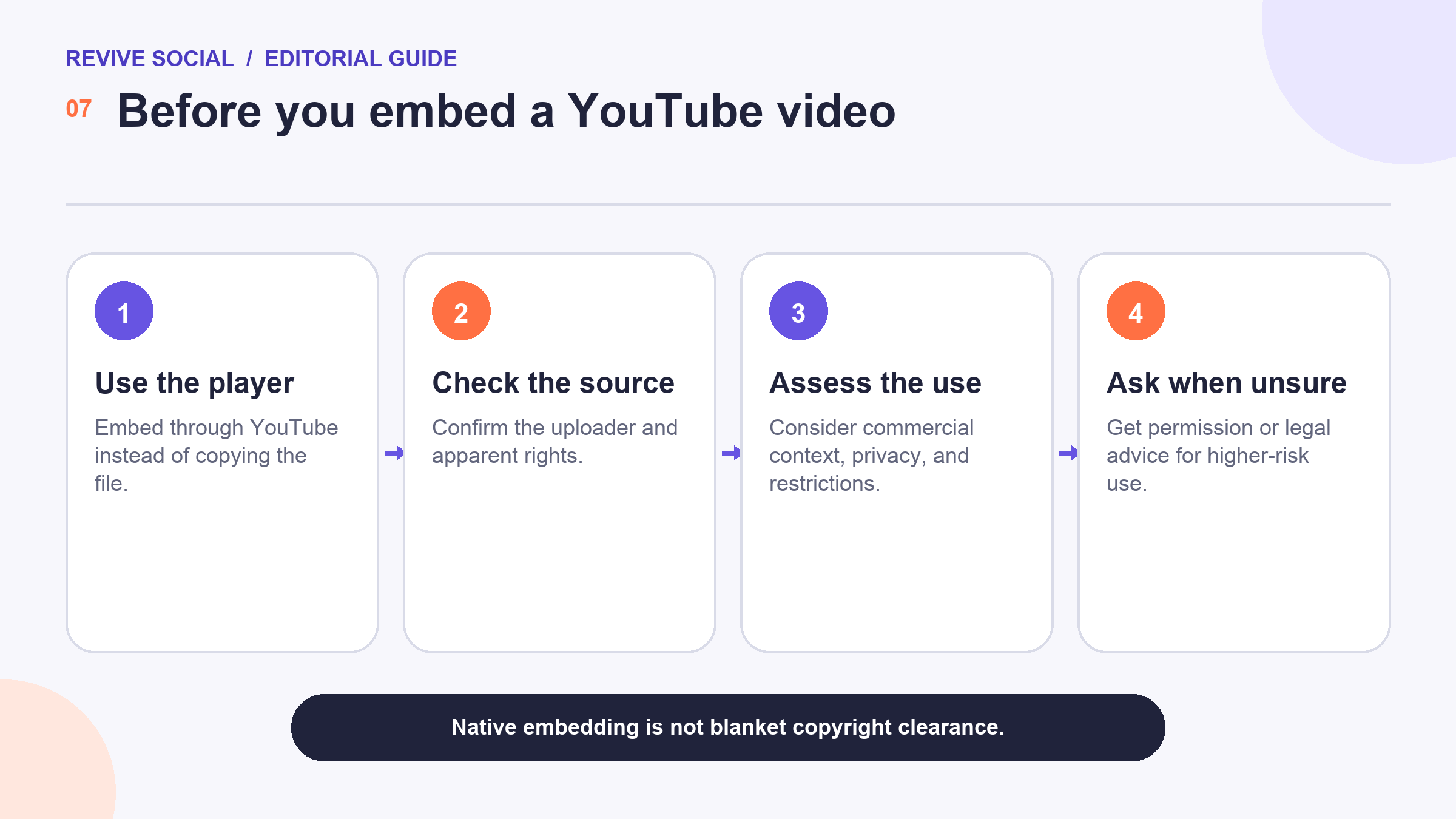
The official workflow uses the Share and Embed controls provided with a video. YouTube’s Embed Help explains how to copy the iframe code, set available player options, embed playlists, and use privacy-enhanced mode.[2] The exact choices can change, so use the code generated for the video rather than an old template.
If the uploader has disabled embedding, do not bypass that setting. Link to the watch page, choose another video, or ask the rights holder for a permitted alternative. A workaround that downloads, screen-records, or strips controls creates a new copy and a different risk profile.
An embed can also load third-party resources and affect a site’s privacy obligations. Review the player’s current cookie behavior, use privacy-enhanced mode where appropriate, and make sure the site’s consent and privacy implementation fits the audiences and jurisdictions it serves.
Copyright and license questions to check first
Start with the uploader. Is the channel an official source, an authorized distributor, a news archive, or an account reposting material from elsewhere? A professional-looking channel and a public video do not establish ownership.
Then inspect the video itself. Music, film clips, photographs, artwork, performances, logos, interviews, and identifiable people can involve separate rights. Permission from the uploader may be incomplete if that uploader did not control those elements.
In the United States, copyright owners hold specific exclusive rights under Title 17, subject to limitations and exceptions.[3] Whether an embed implicates a right or qualifies for an exception depends on the facts and legal authority. Do not label a use “fair use” based on a short checklist.
- Uploader identity: Is there credible evidence that this is the owner or an authorized account?
- License or permission: What use is expressly allowed, by whom, where, and for how long?
- Third-party elements: Does the video contain music, footage, art, brands, or people with separate rights?
- Context: Is the page commercial, promotional, misleading, defamatory, sensitive, or aimed at children?
- Record: Can you document the source, settings, permission, and date of the decision?
Creative Commons, public-domain, and third-party-content caveats
A Creative Commons label is a starting point, not proof that the uploader had authority to license every element. Creative Commons documents six main licenses with different attribution, adaptation, sharing, and commercial-use conditions.[4] Read the exact license and check for material excluded from it.
Public-domain status can depend on the work, creator, publication history, country, and date. A work may be public domain in one jurisdiction and protected in another. Government-created material is not automatically public domain everywhere, and a new recording or edit may contain protected contributions.
Attribution is good practice and may be a license condition, but credit alone does not create permission. Likewise, the fact that the creator did not complain about other embeds does not authorize a new use.
Courts can also treat linking and embedding questions differently based on jurisdiction and facts. The CJEU’s BestWater order is a fact-specific European decision and should not be generalized into a rule that every embedded video is lawful.[5] UK government guidance explains copyright ownership principles, but it does not approve a particular embed.[6]
How to embed a video using the official YouTube tools
- Open the video on its official watch page and confirm that the apparent uploader and content fit your rights review.
- Select Share, then Embed. If Embed is unavailable, do not bypass the restriction.
- Review the available player and privacy options, then copy the generated iframe code.
- Paste the code into a block or field that accepts embeds on your website. Use the platform’s supported embed feature where possible.
- Preview the page on desktop and mobile, test playback, confirm the source, and check the site’s consent behavior.
Keep the title and surrounding copy accurate. Do not imply that the featured person endorses your site, product, or claim unless you have permission to make that statement. Avoid framing that changes the apparent meaning of the video.
Plan for removal. The uploader or YouTube may disable, delete, restrict, or replace the video. A page that depends on the embed should have an owner who periodically checks playback and updates the surrounding text.
When to ask permission or avoid the video
Ask for written permission when the uploader or license is unclear, the page is commercial or promotional, the video is central to a paid product, you plan to edit or extract material, or the content involves sensitive people or events. State the exact page, purpose, duration, territory, edits, and attribution requested.
A useful permission record identifies the person granting it and the rights they control. Save the complete message thread, not just a cropped approval. If the reply says “yes” without addressing commercial use, editing, duration, or third-party material, ask a narrower follow-up before relying on it.
Avoid the video when embedding is disabled, the account appears to be reposting unauthorized material, the permission does not cover your use, the video contains unresolved third-party rights, or the context could create a false endorsement. Choose a licensed alternative or create original material instead.
Escalate to a qualified lawyer when a takedown, claim, demand, or high-value campaign is involved. Preserve the URL, page copy, permission record, license, embed settings, and relevant dates. Do not rely on attribution or an iframe as a complete defense.
A practical pre-publication checklist
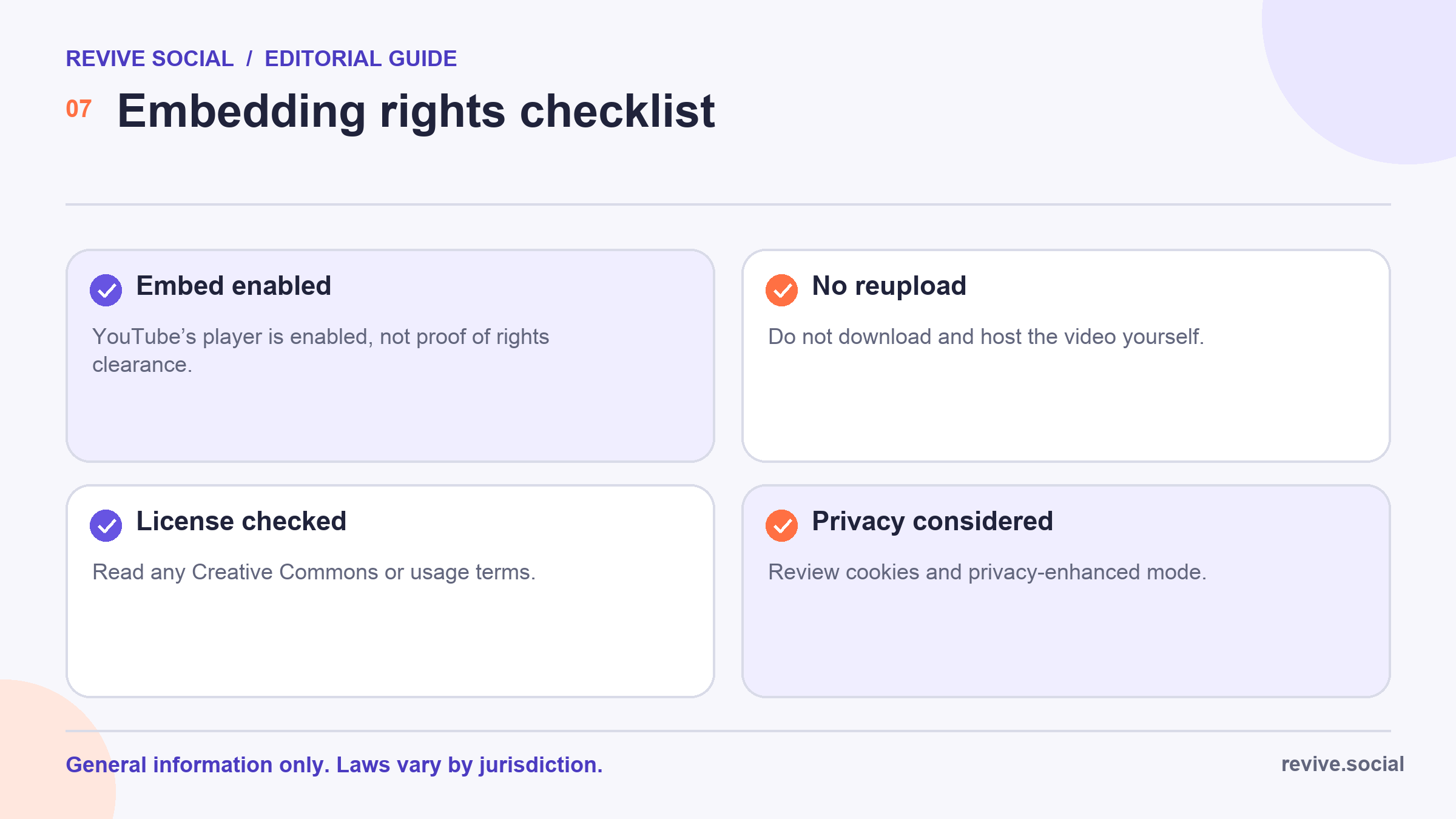
- The uploader appears to be the rights holder or has documented authority.
- The license or written permission covers this page, context, territory, duration, and any commercial use.
- Music, footage, images, brands, and identifiable people have been considered separately.
- The official embed is enabled and no download, re-upload, or control-stripping workaround is used.
- The surrounding text does not imply endorsement or misrepresent the video.
- Privacy, consent, accessibility, and mobile playback have been reviewed.
- The source, permission, settings, and review date are recorded, with an owner for later checks.
The related guide to building a company YouTube channel can help when original video is the better long-term choice. It is a channel-management resource, not legal clearance for someone else’s work.
The practical answer is cautious: use YouTube’s official embed only after checking the source and rights, keep a record, and get permission or professional advice when the use is not clearly within your risk tolerance.
Review that decision if the video, uploader, license, page purpose, or law changes. A rights check supports the facts known at the time. It is not permanent clearance for every future use or edit.
References
- [1] YouTube Terms of Service
- [2] YouTube Help: Embed videos and playlists
- [3] U.S. Copyright Office: Title 17, Chapter 1
- [4] Creative Commons: License types and conditions
- [5] Court of Justice of the European Union: BestWater International, Case C-348/13
- [6] UK government guidance: Ownership of copyright works

